Code Review (team)
As a team, complete the following tasks
Create a Pull Request (PR)
- create a new branch for this excercise or use an existing one where development you believe is done
-
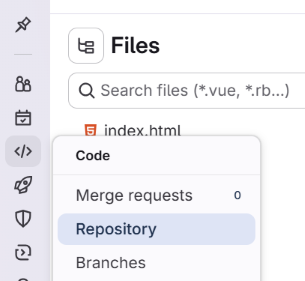
in the left sidebar of your GitLab repository, student A chooses Code and then Merge requests
- student A clicks on the Create merge request button
- student A makes sure that the target branch is the branch you want to merge into (typically main or master)
-
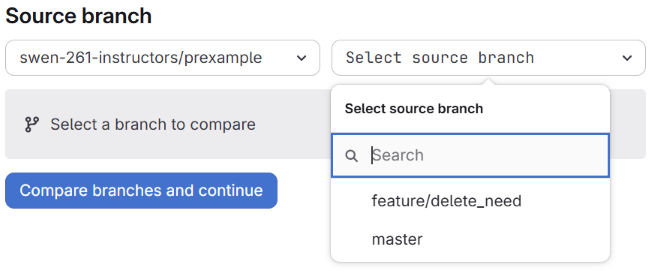
student A chooses the source branch (the branch with the changes you want to merge)
- student A clicks on the Compare branches and continue button
-
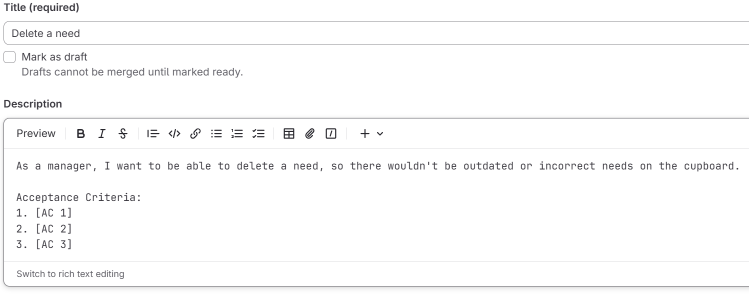
student A fills in the title and description of the PR (the title should be descriptive and the description should contain a user story and a list of acceptance criteria)
-
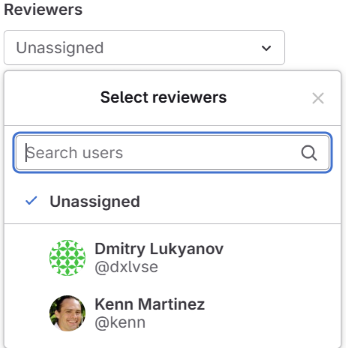
student A chooses one or more reviewers from their team they want to review the PR (typically, the choice is made based on expertise, familiarity with the code, or availability, but it doesn't mean nobody else can review it)
- student A clicks on the Create merge request button
Review a Pull Request
Each team member except the author of the PR should execute the following steps
- open a list of merge requests as it described above and choose the created PR (or use any other way to reach it)
-
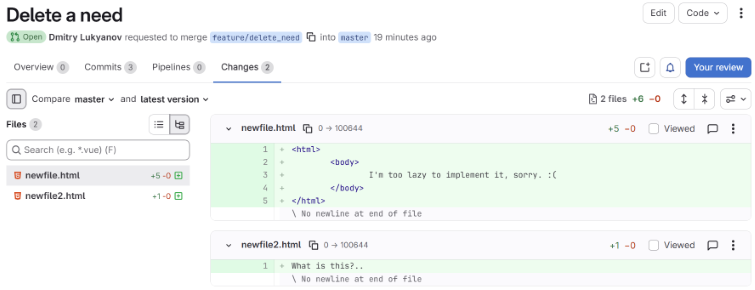
switch to the Changes tab
-
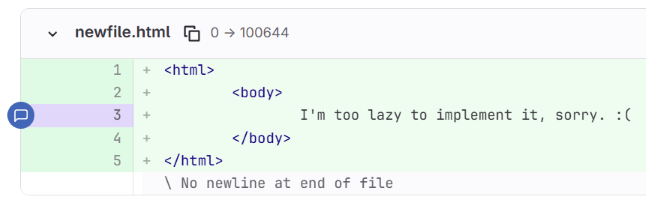
point a line you want to comment (maybe it has some issues, maybe it could have been implemented in a better way) and click on the comment icon that emerges on the left side
-
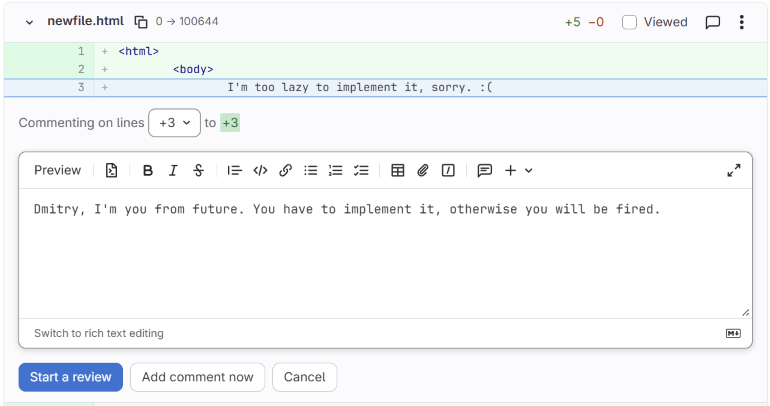
add a comment you want the author to see and click on the Start a review button if it's your first comment or Add to review if you already have some comments
-
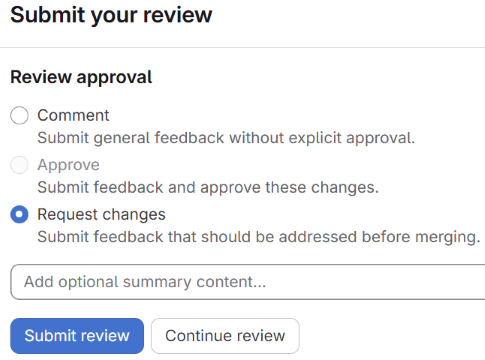
when you are done commenting, click on the Your reviews button, switch Review approval dropdown to Request changes and submit the review
React on feedback
The author of the PR should react to the feedback by fixing issues or entering the discussions via the comment system
- student A addresses the feedback by making the necessary changes to the code or being involved into a discussion
-
when a raised topic is resolved, the reviewer clicks on the Resolve thread button

Fill-in the Code Review Document
- download the code review template and fill the Code Review grid for each issue you found in the pull request. Spend enough time to be thorough
- you can use the code review sample to understand the expectation
Add code review to the Definition of Done
From this point forward, every story should have a code review so add perform code review to the Definition of Done checklist in the USER STORY template. So from now on, your checklist should look like this
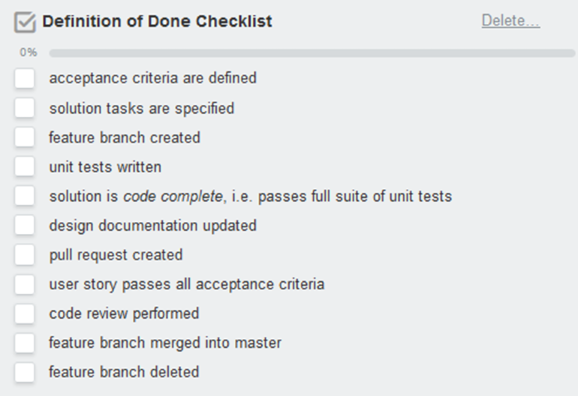
To clarify, after a story is code complete, and the design documentation is updated, the developer will create a pull request for this story and move the story card into the Ready for Test Trello list. At that point, manual acceptance testing and review of the pull request can occur in parallel.
The developer that created a pull request should NOT be the one to review and approve it. It should be done by another team member (preferrably - by at least two team members).
Submission
Submit the completed code review document to the assignment submission page on myCourses.